The table orders. The kitchen sees it. Nobody waves for service.
A QR code on each table. Diners order from their own phone — no app. It lands on the kitchen rail instantly, and billing closes the tab when they leave.
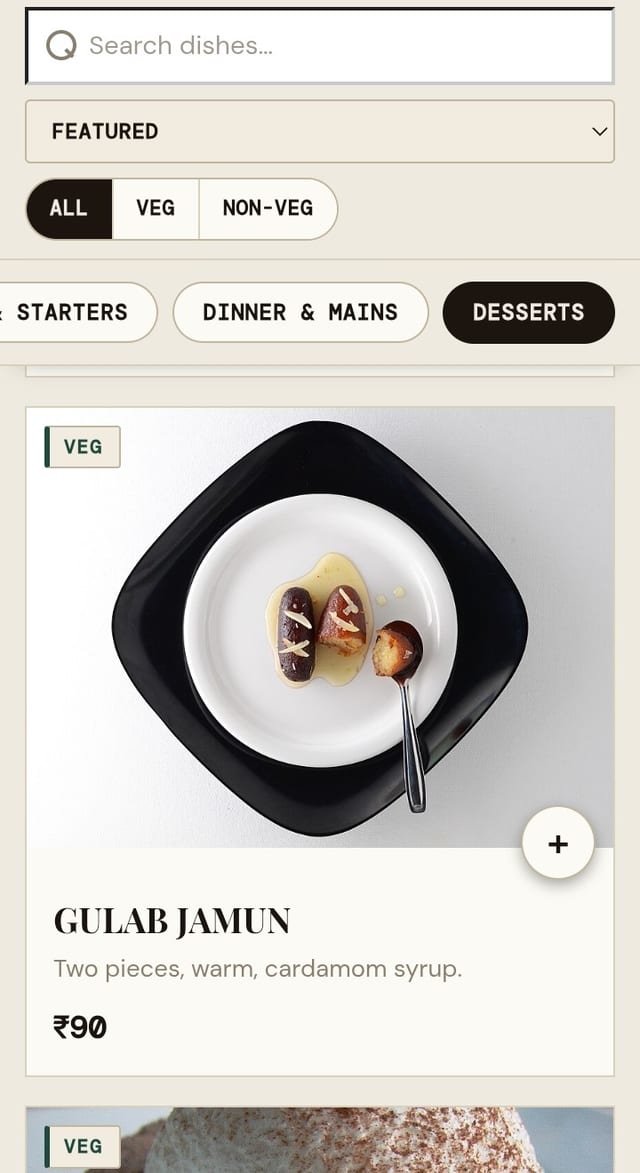
They order from their own phone.
Scan the QR on the table and the menu opens right in the browser — nothing to download, nothing to sign into.
- Every dish with a photo, a price and a veg / non-veg mark
- Search, filter, and sort by "Featured" or "Most ordered"
- Add to a running tab — settle once at the end, or round by round
- Sold-out dishes drop off the instant the kitchen flips them
The order lands the second they hit send.
No printer, no shouting across the pass. Two screens, no training.
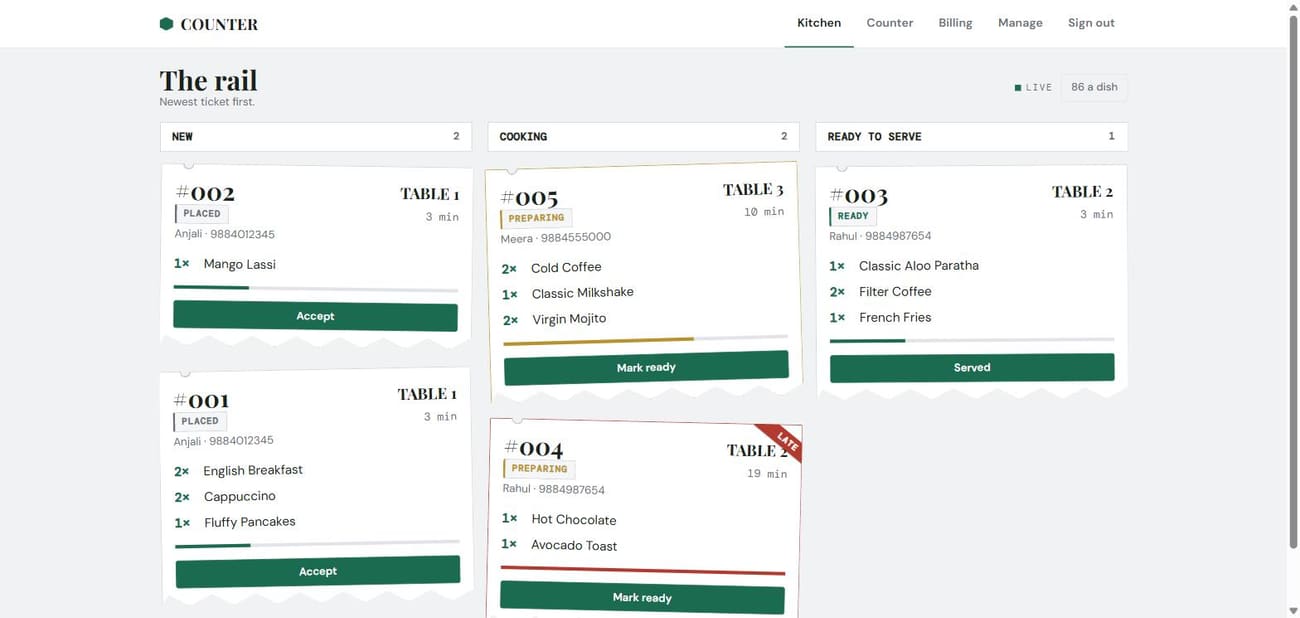
The live rail
Tickets move New → Cooking → Ready, show how long they've waited, and flag themselves when they run late.
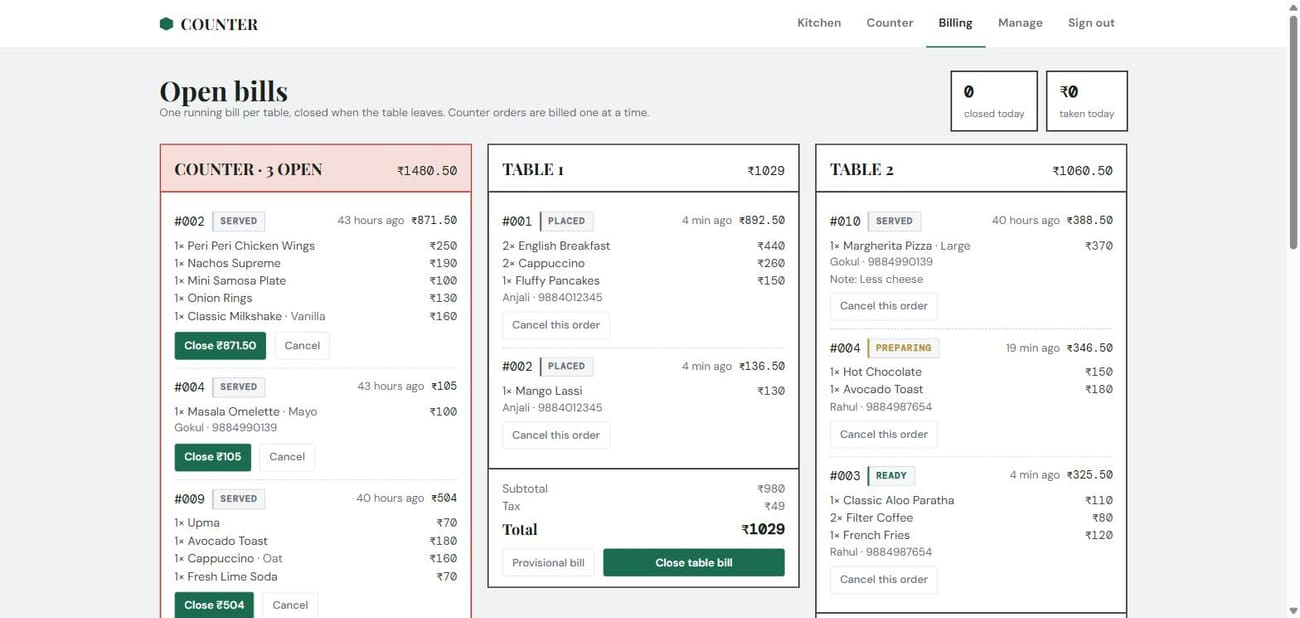
Close the bill
One running tab per table, or settle each round on its own. Subtotal, tax and total are worked out for you.
The whole cafe, one login.
Kitchen, billing, menu and the books — the owner and the staff share a single sign-in.
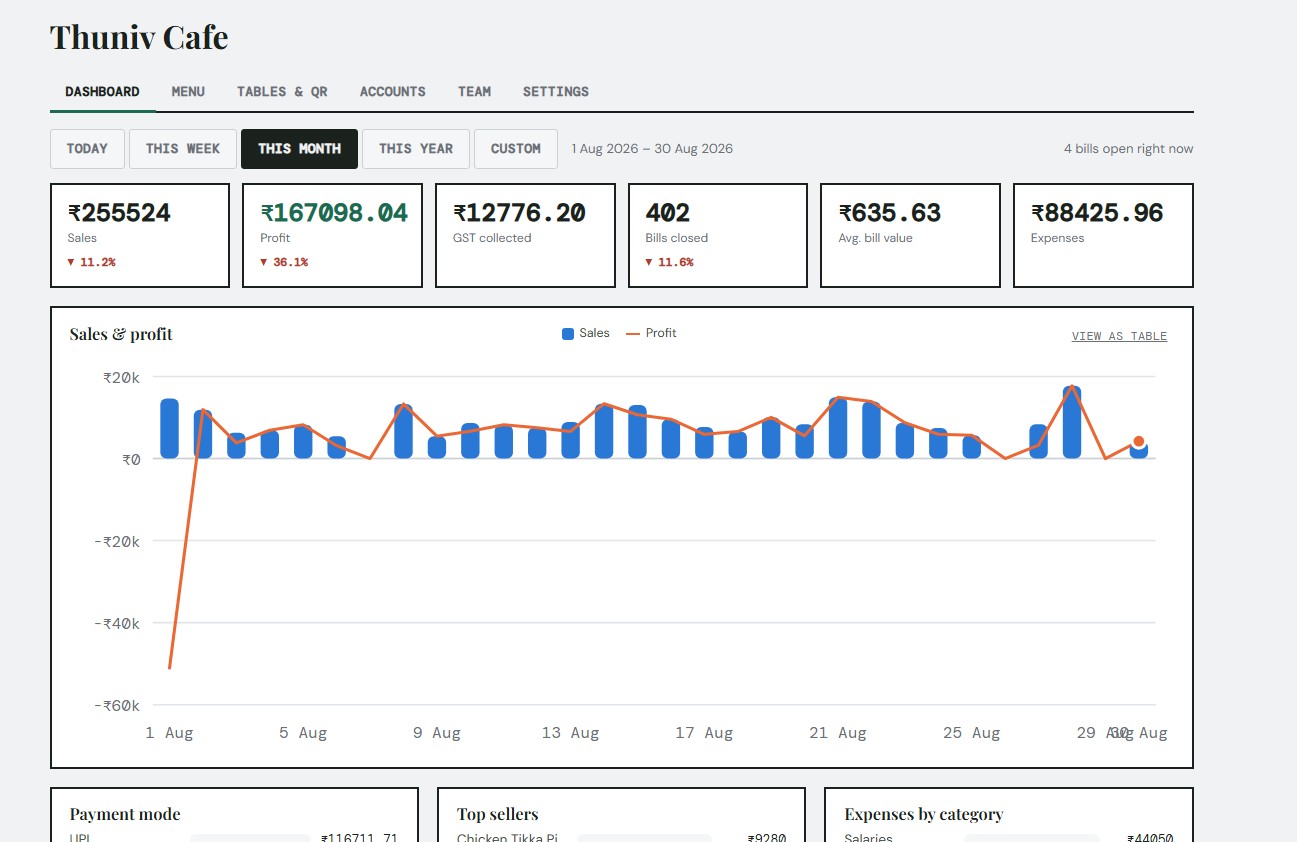
Today at a glance
Sales, profit, GST collected and average bill — by day, week, month or a custom range.
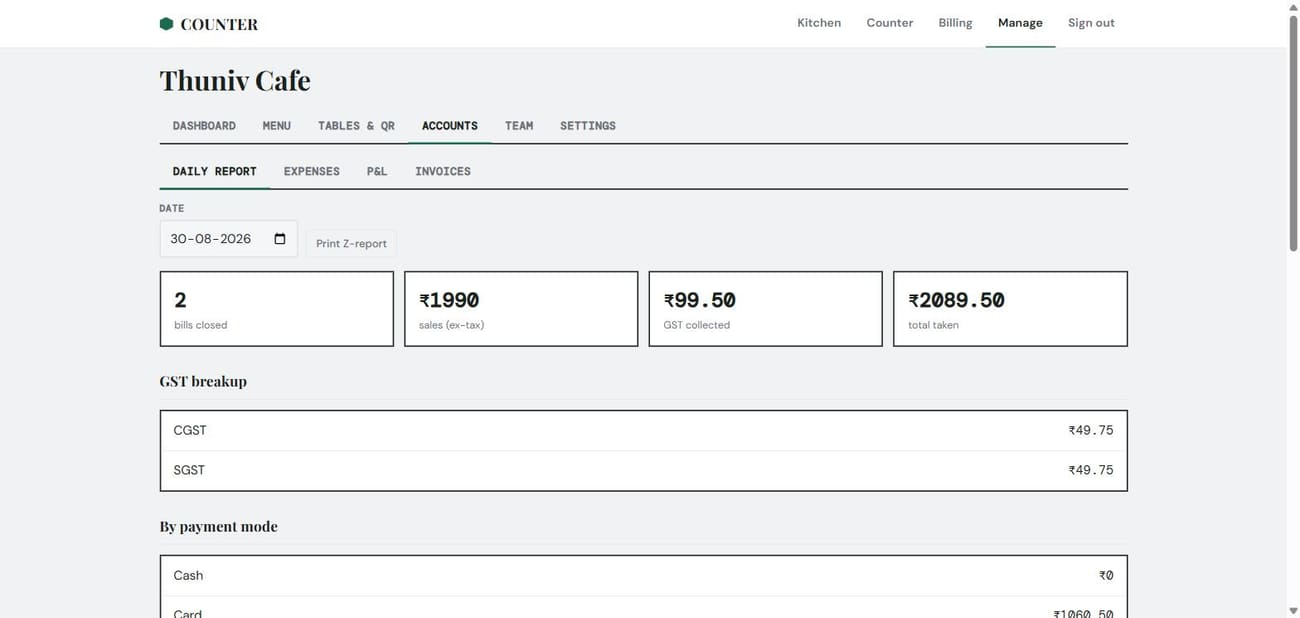
GST-ready books
Daily Z-report, CGST / SGST breakup, payment-mode split, expenses and a running P&L. Print or export.
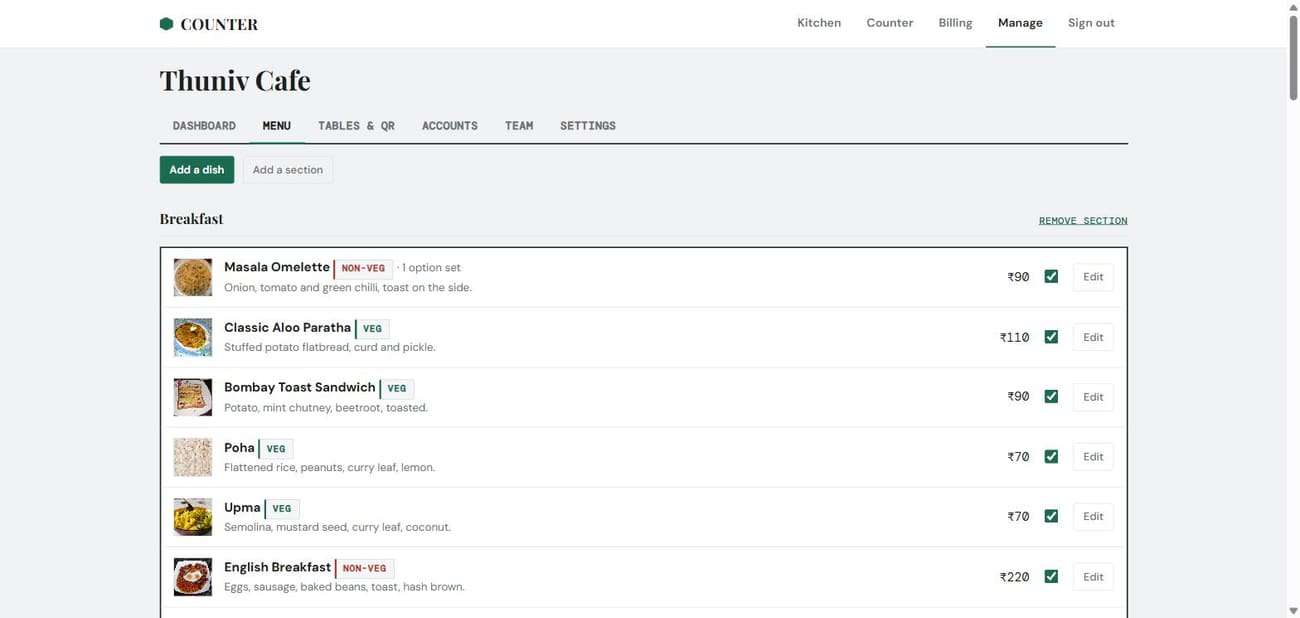
Edit in seconds
Photos, sections, option sets, per-dish GST — and a sold-out toggle that reaches every phone at once.
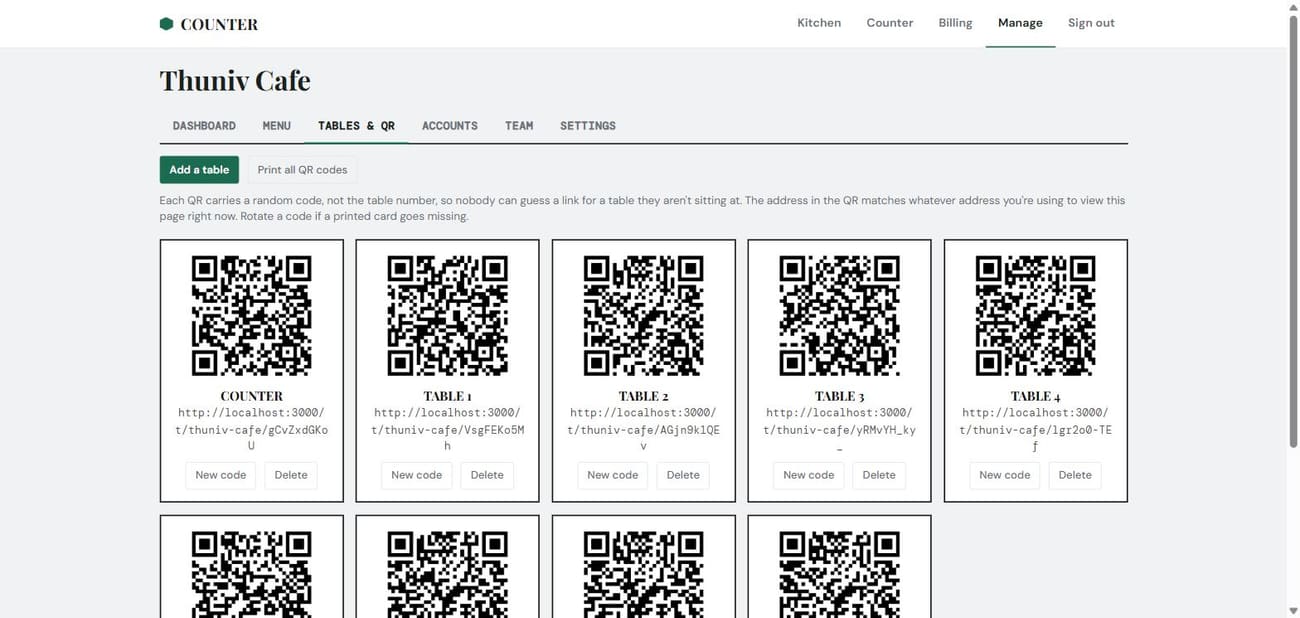
Print the codes
A QR sheet for every table. Codes are random, not the table number — rotate one if a card goes missing.
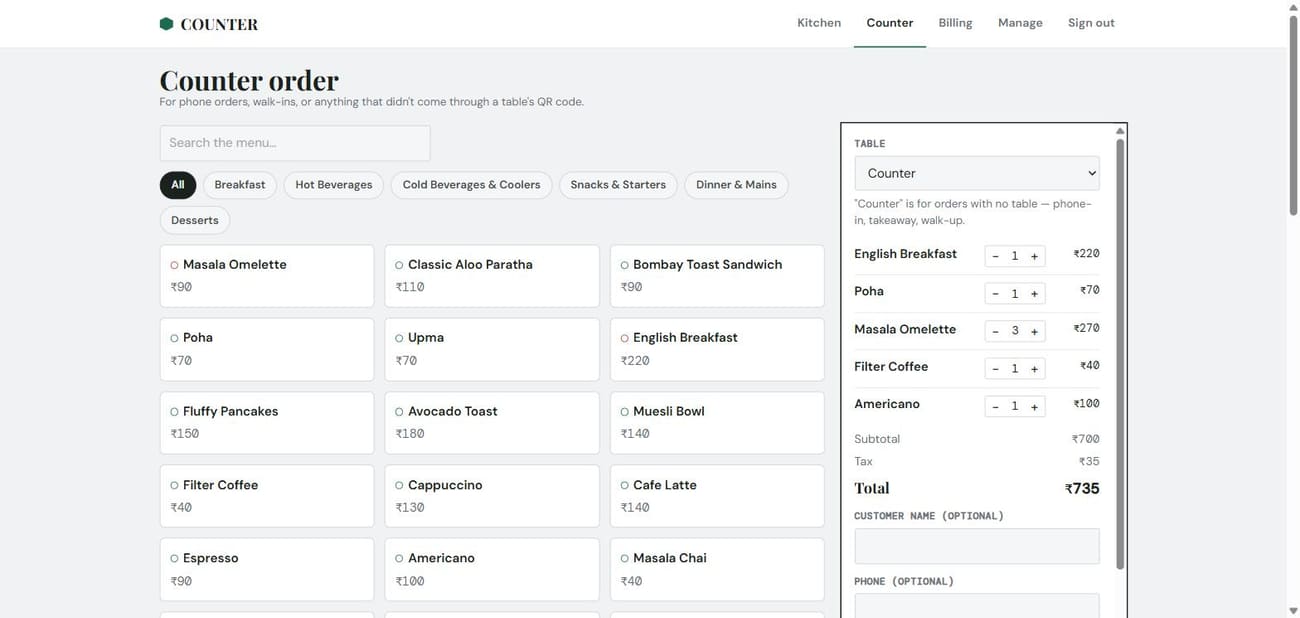
Walk-ins & phone orders
Ring up anything that didn't come through a QR. It joins the same rail and the same bill.
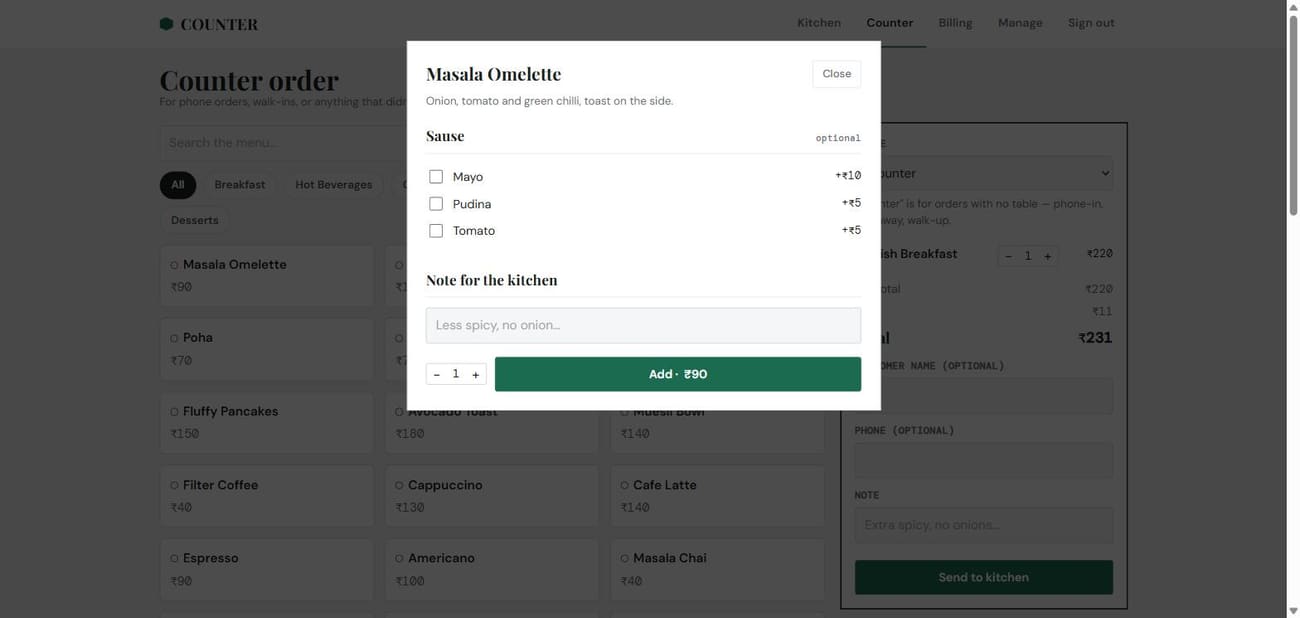
Choices & notes
Milk, size, add-ons with price changes, and a note that rides along to the kitchen.
Small things, done right.
Get a free trial for your cafe
Tell us a bit about your cafe and we'll set up your menu, tables and first login — no card, no self-serve form to wrestle with.
Talk to a human, not a form
Cafes aren't self-signed-up here — whoever runs this Counter deployment creates each cafe by hand and hands its manager a login. Message or call us and we'll get your first cafe running.
Prefer email? gokul@thunivin.com
Already have a login? Sign in here